FEATURE — WORKOUT LOG
Log faster than you can think
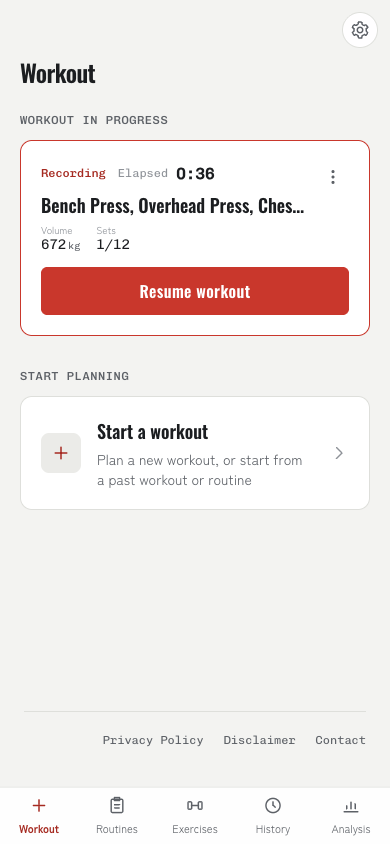
The logging screen exists to keep your phone out of your hands. Instead of typing everything from scratch, you can pull a whole workout over from your history, or set per-exercise defaults once.
- Carry last time's sets over
- Rest timer starts itself
- Seven logging formats
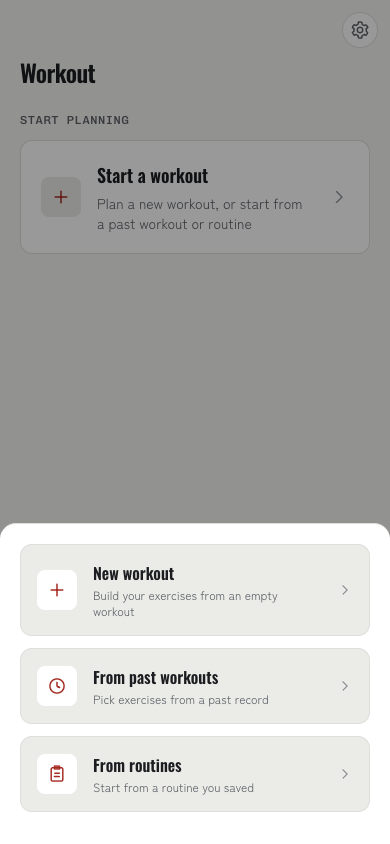
Three ways to start
From the home screen you can start blank, from a past workout, or from a routine. Starting from a past workout or a routine brings its weights and reps along with it.
- New: start empty and add exercises as you go
- Past workout: pick exercises from history and that day's sets come with them
- Routine: pull up a menu you saved earlier
- "Repeat this workout" in a history entry does the same thing
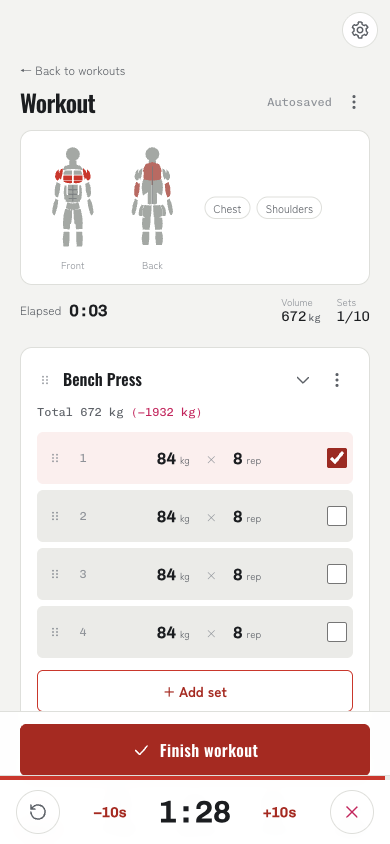
Just +/− and a tick
Weight and reps step with +/− buttons. The step size is per exercise, defaulting to 1 kg or 2.5 lbs. Ticking a set complete starts the rest timer using that exercise's rest seconds.
- Adjust weight and reps with +/−; step size configurable per exercise
- Ticking a set starts the rest timer (rest seconds are per exercise)
- "Apply to all" overwrites weight, reps, or RPE across every set at once
- Adding an exercise on its own fills in its defaults, then your global defaults
- Reorder sets and exercises, or swipe to delete
More than weight × reps
Seven logging formats cover barbell work, bodyweight, assisted movements, timed holds like planks, and cardio. The format belongs to the exercise, and the input fields switch automatically.
- Weight × reps / reps only (bodyweight) / weighted / assisted
- Duration / weight × duration / distance × duration
- Bodyweight-driven formats bake in your body weight at logging time
- Per-side exercises are tracked as L/R pairs
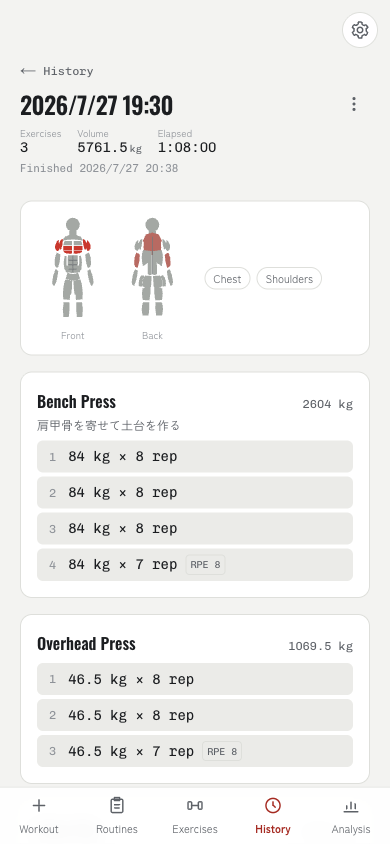
Notes carry over
Cues about form or a machine's seat position are worth keeping. Pin a note and it shows up the next time you open that exercise.
- Notes at three levels: workout, exercise, and set
- Pinned notes carry over to next time
- Everything autosaves, so you can close the app mid-workout and pick it back up
- Save a finished workout straight into a routine